> ## Documentation Index
> Fetch the complete documentation index at: https://docs.msportal.ai/llms.txt
> Use this file to discover all available pages before exploring further.
# Read and adjust a company budget forecast
> Choose a company and base year, compare projected costs, and understand category growth and overrides.
Open **Budgets > Budgets Menu > Forecast** to project a company's category costs beyond a selected **Base Year**. This is a planning worksheet, separate from a budget's approval and Actuals.
**Audience:** MSP staff and Company users with budget editing access assigned by their MSP. Ordinary budget read access does not open Forecast. Saving and syncing require budget management permission; ask your MSP if those buttons are missing.
## Open the right forecast
Use the company selector at the top of the portal. Global View and an assigned-company portfolio are not a combined forecast. If you see **Select a single company to forecast**, choose one company there.
Check the selected fiscal year and the years in the table headings. Save needed changes before switching company or year. If **Discard unsaved changes?** appears, Cancel keeps the current worksheet. Do not rely on a warning appearing: confirm that the selected year and table headings agree before editing.
Read each category's Base Year amount, Include switch and projected years. Saved forecast rules can contain manually adjusted starting amounts. Use [Sync from Budget](/user-guides/budgets/sync-budget-forecast) when you intend to replace those amounts with current budget totals.
Check the Total row and the changes shown under each year. These changes compare against the previous year, not always the original base year. Scroll the table horizontally to reach later years, % Increase and Use Global.
## Understand the starting totals
When there are no saved rules, Forecast starts from categorized budget costs for the selected company and fiscal year. It combines matching budgets; it does not offer a source-budget picker or limit the calculation to one approved budget. Drafts, copies and archived plans can overlap, and rejected lines with positive costs can still contribute. Review those sources before relying on the forecast.
The starting cost is the line's twelve-month billing total, including its billing schedule and monthly overrides. A line without a usable category is not represented by a forecast category. Locked budgets can retain historical category names after a category is renamed or removed.
The displayed currency comes from the company's budget data, with a tenant default fallback. It does not convert mixed-currency prices. Reconcile the sources with your MSP when the forecast differs from a budget list total, approved plan or Actuals.
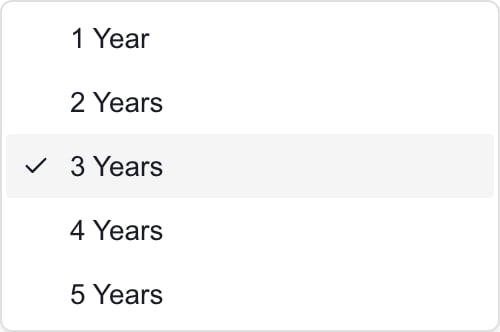 *MSP example: choose how many years follow the selected Base Year.*
## Adjust the projection
| Control | What it does |
| ------------------------------- | -------------------------------------------------------------------------------------------------------------------------------------------------- |
| **Years to Forecast** | Shows 1–5 years after Base Year. Reducing it discards proposed overrides beyond the shorter horizon; increasing it again does not restore them. |
| **Default Annual Increase (%)** | Sets a percentage from 0–100. Changing this field alone does not apply growth to every category. |
| **Apply to All Categories** | Copies the default percentage into all category rows. Turning it off does not erase the percentages already copied. |
| **Include** | Includes the category in base-year and projected totals. Turning it off excludes the category; it does not mean keep the cost flat. |
| **Base Year** amount | Changes this forecast's starting amount. It does not edit a source budget line. |
| **% Increase** | Compounds the category's percentage from the previous year's amount. A blank percentage repeats the base-year amount in years without overrides. |
| **Use Global** | While Apply to All Categories is on, selects the current default for that row. Clear it to enter a category-specific percentage. |
| A future-year amount | Creates a manual Override for that category and year. Clear the field to return to its calculated amount. Entering 0 creates a real zero override. |
| **Hide Empty Categories** | Hides rows whose base amount is zero. It does not remove them from calculations, so a hidden row with a future override can still affect Total. |
For example, a 1,000 base amount with a 5% category increase projects 1,050, then 1,102.50. A manual first-year override of 2,000 makes the next year 2,100 at 5%. With a blank percentage, the next year returns to the 1,000 base instead. A 0% rate carries the previous amount forward; it is different from a blank rate after an override.
## Save and verify
Finish numeric edits by tabbing or clicking out of the field, then check the recalculated amounts. Changes remain unsaved until an authorized manager chooses **Save**. Wait for **Budget forecast rules have been saved successfully**, then reopen the same company and base year to check the settings and amounts.
Save records forecast rules for that company and base year. It does not approve a budget, create future budget documents, change Planner work or update provider prices. Hide Empty Categories is a temporary display preference rather than a saved planning rule.
## Troubleshooting
| Result | What to check |
| ------------------------------------------- | ------------------------------------------------------------------------------------------------------------------------------------ |
| No permission to view | Ask the MSP to check budget editing access; read-only budget access is not enough for Forecast. |
| Save or Sync buttons are missing | These require budget management permission. Local changes are not saved by navigating away. |
| Years or company do not match the selection | Stop editing and reload the selected company/year. Confirm the table headings before saving. |
| Default is 5%, but amounts stay flat | Check the row's % Increase or enable Apply to All Categories. The default field alone is not a growth rule. |
| Total differs from visible rows | Turn off Hide Empty Categories and check Include switches and future overrides. |
| Total differs from one budget | Check all budgets for this company/year, categories, rejected lines, currency and saved forecast adjustments. |
| Unexpected zero starting totals | Check source budgets and access. Reload before replacing existing rules; an unexpected empty load is not proof of zero planned cost. |
| Save fails | Keep the worksheet open, review the error and ask your MSP to check access. Do not assume the changes persisted. |
## Frequently asked questions
Select one company and open Budgets > Budgets Menu > Forecast. Check Base Year and the projected columns. Budget editing access is required; management permission is required to save.
No. Forecast requires budget editing access assigned by the MSP. Ordinary budget viewing and Forecast have different access requirements.
No. Starting category totals combine matching company/year budgets. Check overlapping copies, statuses, rejected lines and categories before relying on them.
No. It excludes the category from totals. Keep Include on and use a blank percentage for a flat base amount in years without overrides.
Each row needs a percentage. Apply to All Categories copies the default into the rows; merely changing Default Annual Increase does not do that.
No. Percentages already copied to rows remain. Review and edit the category rates explicitly.
Clear that future-year amount field. The calculated value returns. Typing zero instead creates a zero override.
Yes. Hide Empty Categories looks at the base amount only; a hidden included row may have a nonzero future override.
No. Reducing Years to Forecast discards proposed overrides beyond that horizon. Review the effect before saving.
No. It saves planning rules for one company and base year. Budget creation, approval, Actuals and provider changes are separate workflows.
Related: [Sync forecast sources](/user-guides/budgets/sync-budget-forecast), [Read a budget](/user-guides/budgets/read-budget), [Monthly Breakdown](/user-guides/budgets/read-monthly-breakdown).
*MSP example: choose how many years follow the selected Base Year.*
## Adjust the projection
| Control | What it does |
| ------------------------------- | -------------------------------------------------------------------------------------------------------------------------------------------------- |
| **Years to Forecast** | Shows 1–5 years after Base Year. Reducing it discards proposed overrides beyond the shorter horizon; increasing it again does not restore them. |
| **Default Annual Increase (%)** | Sets a percentage from 0–100. Changing this field alone does not apply growth to every category. |
| **Apply to All Categories** | Copies the default percentage into all category rows. Turning it off does not erase the percentages already copied. |
| **Include** | Includes the category in base-year and projected totals. Turning it off excludes the category; it does not mean keep the cost flat. |
| **Base Year** amount | Changes this forecast's starting amount. It does not edit a source budget line. |
| **% Increase** | Compounds the category's percentage from the previous year's amount. A blank percentage repeats the base-year amount in years without overrides. |
| **Use Global** | While Apply to All Categories is on, selects the current default for that row. Clear it to enter a category-specific percentage. |
| A future-year amount | Creates a manual Override for that category and year. Clear the field to return to its calculated amount. Entering 0 creates a real zero override. |
| **Hide Empty Categories** | Hides rows whose base amount is zero. It does not remove them from calculations, so a hidden row with a future override can still affect Total. |
For example, a 1,000 base amount with a 5% category increase projects 1,050, then 1,102.50. A manual first-year override of 2,000 makes the next year 2,100 at 5%. With a blank percentage, the next year returns to the 1,000 base instead. A 0% rate carries the previous amount forward; it is different from a blank rate after an override.
## Save and verify
Finish numeric edits by tabbing or clicking out of the field, then check the recalculated amounts. Changes remain unsaved until an authorized manager chooses **Save**. Wait for **Budget forecast rules have been saved successfully**, then reopen the same company and base year to check the settings and amounts.
Save records forecast rules for that company and base year. It does not approve a budget, create future budget documents, change Planner work or update provider prices. Hide Empty Categories is a temporary display preference rather than a saved planning rule.
## Troubleshooting
| Result | What to check |
| ------------------------------------------- | ------------------------------------------------------------------------------------------------------------------------------------ |
| No permission to view | Ask the MSP to check budget editing access; read-only budget access is not enough for Forecast. |
| Save or Sync buttons are missing | These require budget management permission. Local changes are not saved by navigating away. |
| Years or company do not match the selection | Stop editing and reload the selected company/year. Confirm the table headings before saving. |
| Default is 5%, but amounts stay flat | Check the row's % Increase or enable Apply to All Categories. The default field alone is not a growth rule. |
| Total differs from visible rows | Turn off Hide Empty Categories and check Include switches and future overrides. |
| Total differs from one budget | Check all budgets for this company/year, categories, rejected lines, currency and saved forecast adjustments. |
| Unexpected zero starting totals | Check source budgets and access. Reload before replacing existing rules; an unexpected empty load is not proof of zero planned cost. |
| Save fails | Keep the worksheet open, review the error and ask your MSP to check access. Do not assume the changes persisted. |
## Frequently asked questions
Select one company and open Budgets > Budgets Menu > Forecast. Check Base Year and the projected columns. Budget editing access is required; management permission is required to save.
No. Forecast requires budget editing access assigned by the MSP. Ordinary budget viewing and Forecast have different access requirements.
No. Starting category totals combine matching company/year budgets. Check overlapping copies, statuses, rejected lines and categories before relying on them.
No. It excludes the category from totals. Keep Include on and use a blank percentage for a flat base amount in years without overrides.
Each row needs a percentage. Apply to All Categories copies the default into the rows; merely changing Default Annual Increase does not do that.
No. Percentages already copied to rows remain. Review and edit the category rates explicitly.
Clear that future-year amount field. The calculated value returns. Typing zero instead creates a zero override.
Yes. Hide Empty Categories looks at the base amount only; a hidden included row may have a nonzero future override.
No. Reducing Years to Forecast discards proposed overrides beyond that horizon. Review the effect before saving.
No. It saves planning rules for one company and base year. Budget creation, approval, Actuals and provider changes are separate workflows.
Related: [Sync forecast sources](/user-guides/budgets/sync-budget-forecast), [Read a budget](/user-guides/budgets/read-budget), [Monthly Breakdown](/user-guides/budgets/read-monthly-breakdown).