

Before you start
- You need Manage Planner. Templates appears in Planner Menu only with that permission.
- Templates are shared across all your MSP’s companies. They have no company, due date, assignee, relationships, custom field values or Uploads. Set those on the real item.
Create a template
Open Templates
Click New Template
Name it
Set the defaults
Enter estimates
Write the content
Set compliance auto-link and visibility
Click Save
Set the visibility default
Hide from company users stores a visibility default for the items you create from this template. A new template starts with the box unchecked. It does not give company users access to the template catalog. When you apply a template, the Hide from company users field choice means “copy the template’s visibility setting”. It does not always hide the item. See Apply a template to a Planner item.Set up compliance auto-link
Open Compliance auto-link
Pick the checks
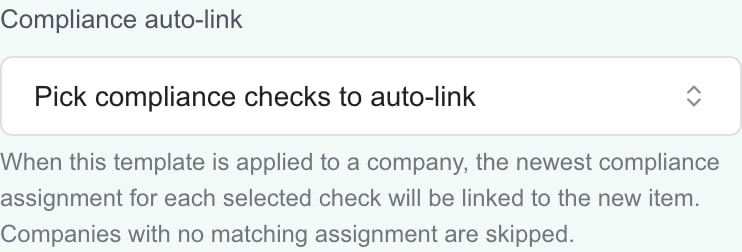
Select checks whose existing company assignments should be linked.
Click Save
Find, edit or reuse a template
Find the template
Open it
Change it and click Save
Save an item as a template
Find the item
Choose Save as template
Review the template
Delete templates
Choose Delete
Read the confirmation
Confirm
Apply templates to companies
Select template rows and choose Actions (N) > Apply to Companies to create new items. See Create Planner items for multiple companies.Troubleshooting
Frequently asked questions
Where do I create a reusable Planner template?
Where do I create a reusable Planner template?
Can company users browse Planner templates?
Can company users browse Planner templates?
Is this the same as a ticket template or a notes text template?
Is this the same as a ticket template or a notes text template?
Can a template set the company, due date or assignee?
Can a template set the company, due date or assignee?
Does the Cost column show an annual total?
Does the Cost column show an annual total?
Does editing a template update existing items?
Does editing a template update existing items?
Does Save as template open a draft first?
Does Save as template open a draft first?
Does compliance auto-link create missing compliance assignments?
Does compliance auto-link create missing compliance assignments?
Does deleting a template remove the items created from it?
Does deleting a template remove the items created from it?