

Connect the intended instance
- In Launch Center, review the selected RMM and connection instance, then open its setup step. You can also open the provider from Settings > Integrations.
- Follow the provider’s credential and connection workflow. Exact fields, test controls and supported features differ by provider.
- Use the displayed connection/save action and wait for its result. Correct credential, region or permission errors before proceeding.
- Review synchronization status and available sites, devices and supported monitoring information. A successful credential check is not the same as a completed import.
- Map provider companies or sites to the intended MSPortal company. Review import settings before importing or enabling continuing synchronization.
- Return to Launch Center and inspect the selected connection’s readiness and the separate client-data findings.
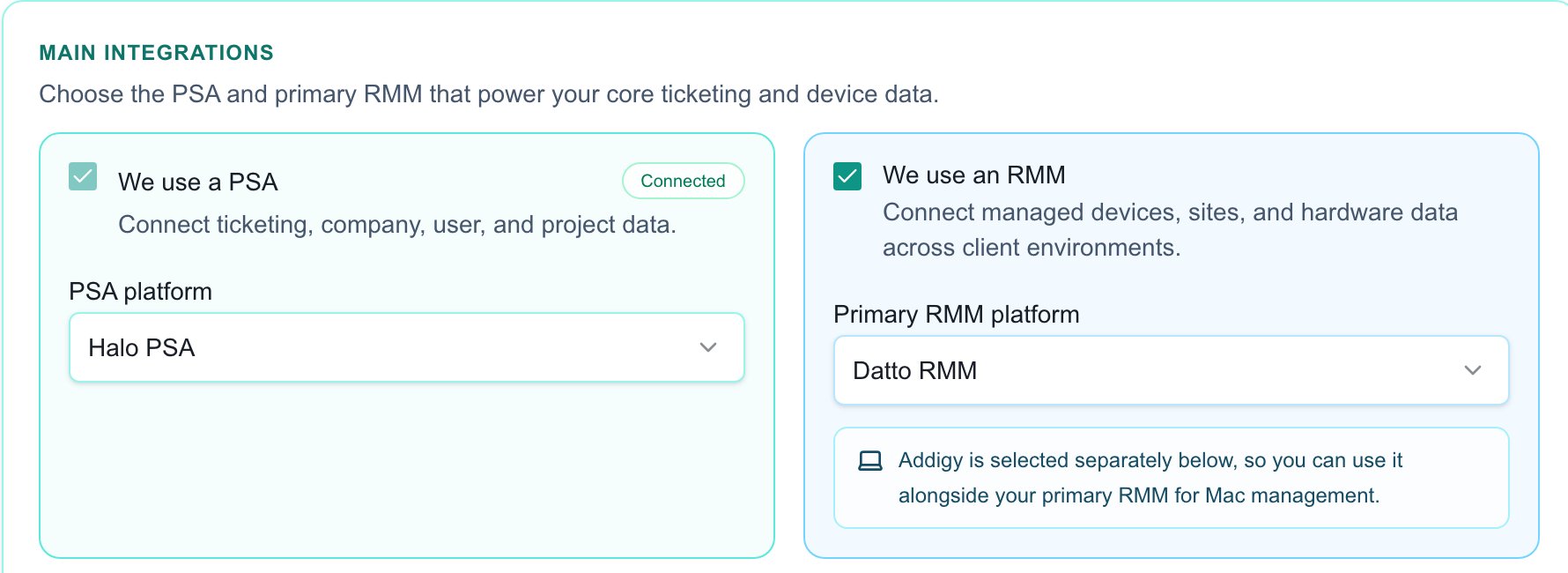
PSA and primary RMM selections have separate controls.
Connection versus readiness
The connection check applies to the provider instance selected for the plan. An unrelated active integration does not satisfy it. Data requirements are checked separately for the rollout companies. Do not assume all provider features, records or writeback operations are supported because the connection succeeds. Next, review device mappings and import actual devices. Staged devices alone do not satisfy inventory readiness.Troubleshooting
If the selected connection is missing, return to the strategy step and choose the intended instance. If synchronization has no expected records, inspect its status, provider permissions, scope and company mappings. Preserve the current connection while investigating; clearing and resyncing can remove staged or mapped data and is not a harmless refresh. Use the specific guide below for credential preparation and provider behavior.FAQs
Does a successful RMM credential test complete the rollout?
Does a successful RMM credential test complete the rollout?
No. Verify the selected connection, company mapping, actual imported records and remaining readiness findings.
Can any active connection satisfy this step?
Can any active connection satisfy this step?
No. The check applies to the provider instance selected in the plan.
Should I clear and resync immediately when data is missing?
Should I clear and resync immediately when data is missing?
No. Inspect status, permissions, scope and mappings first; clearing data is a separate consequential operation.