

Before you start
- You need Calendar settings access and permission to manage Calendar settings.
- The Post-meeting survey questions card on the same tab saves separately. See Manage survey questions.
Choose when wrap-up is available
1
Open Settings > Calendar
Select the Post-Meeting tab. The Post-Meeting Flow card is on the left.
2
Turn on Enable post-meeting flow
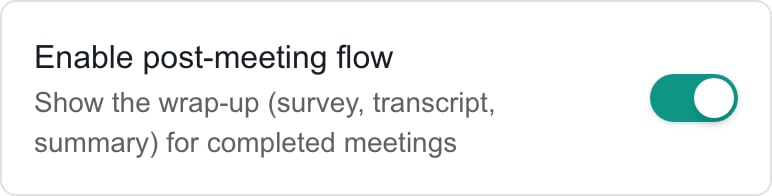
The main wrap-up switch. Save changes in the page header.
3
Pick the event types
Open Event Types and tick the types that offer wrap-up. The choices are QBR, On-site Tech Visit, Internal Meeting, Client Call, Project Milestone, Compliance Review, Business Review, Service Call and Other. Keep at least one. To turn wrap-up off, switch off Enable post-meeting flow instead.
4
Choose the completion prompt
Prompt when a meeting is completed asks staff to start the wrap-up when they mark a meeting Completed. Turning it off removes the prompt only. Staff can still click Wrap-Up.
5
Click Save
The Save button is in the page header. It is disabled until you change something. Post-meeting settings saved confirms it.
What each control does
Each switch is separate. Turning off the main flow does not turn off Update the QBR log automatically.
Set transcript AI
Turn AI transcript processing on or off and click Save. With it off, staff can still save a transcript. It only removes Generate notes & action items. It does not turn off other AI features. See Add a meeting transcript.Set automatic QBR logging
1
Set Update the QBR log automatically
Turn it on to write a QBR entry after each eligible summary. It is on by default.
2
Choose the Autotask note type (optional)
With Autotask connected, set Push QBR log entries to Autotask as to a note type. Choose Do not push to Autotask to keep entries in MSPortal. The list is disabled while automatic logging is off.
3
Click Save
Use the page-header button.
4
Check a result
After a summary is sent, open the company’s Account Notes and QBR Log.
Troubleshooting
Frequently asked questions
Can company administrators change these settings?
Can company administrators change these settings?
No. This is an MSP administration task.
Can I turn off wrap-up by clearing every event type?
Can I turn off wrap-up by clearing every event type?
No. Keep at least one. Switch off Enable post-meeting flow instead.
Does turning off the prompt turn off wrap-up?
Does turning off the prompt turn off wrap-up?
No. It only removes the prompt.
Does turning off the main flow stop QBR logging?
Does turning off the main flow stop QBR logging?
No. Turn off Update the QBR log automatically as well and save.
Can staff save a transcript when transcript AI is off?
Can staff save a transcript when transcript AI is off?
Yes. Only AI generation is off.
How do I stop automatic QBR entries going to Autotask?
How do I stop automatic QBR entries going to Autotask?
Choose Do not push to Autotask and save.