

Before you start
- You need permission to edit project collaboration content (project overlay edit).
- Company users can read contact details but cannot edit them. Their MSP manages users and permissions.
- A client sponsor must be an existing Company user for the project’s company.
Open the contacts form
1
Open the project
Open Projects and click the project.
2
Go to the Client Dashboard
Click Overview, then Client Dashboard.
3
Open Contacts
Find Contacts and click Edit Contacts, or Add contacts when none are set.
Choose the right contact type
Update and save
1
Review the project lead
Check the lead shown under Project Lead (Your Team). It reads Automatically synced when details are available. You cannot type over it here. Fix a synced lead in your PSA. If it reads No project lead was found in the synced project, set the lead in your PSA.
2
Select the Client Sponsor
Click Select a company user, search by name or email, and choose the person. To clear the sponsor, open the picker and click the checked person again. If nobody shows up, ask your MSP administrator to check the Company user record. Do not create a duplicate user.
3
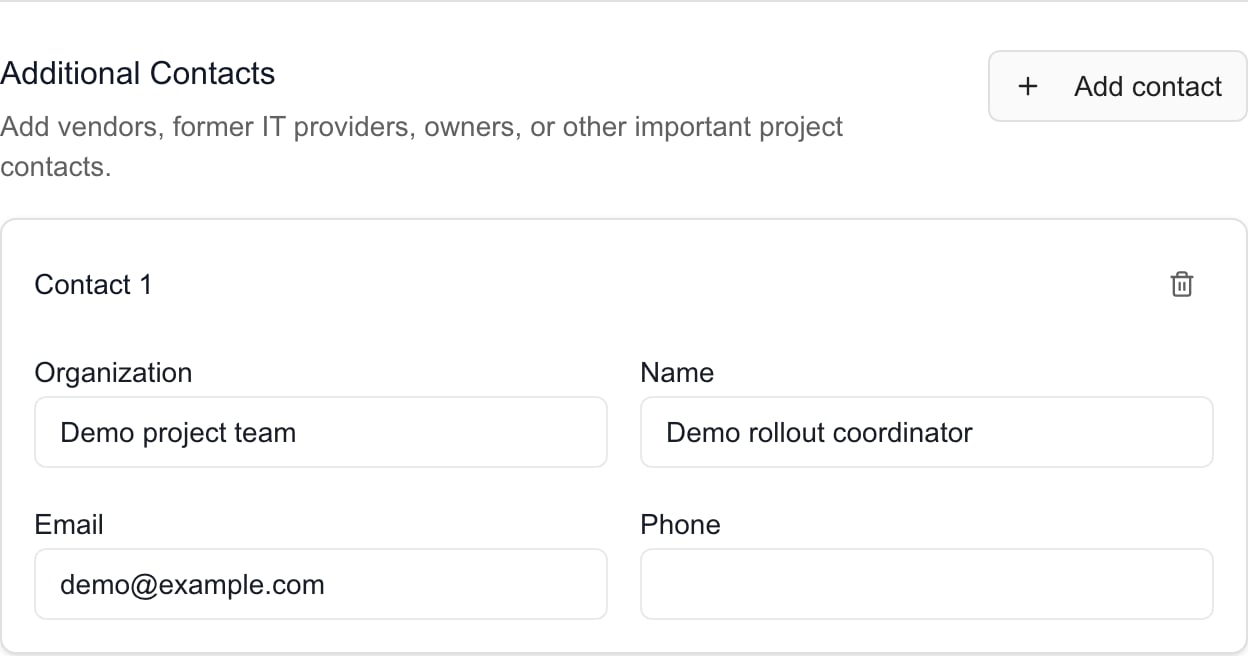
Maintain Additional Contacts
Click Add contact, then fill in Organization, Name, Email, and Phone. You do not need every field, but an email must be valid. Blank rows are dropped when you save. Use Remove contact on a row to remove it.
4
Save Changes
Click Save Changes and wait for Contacts updated. Nothing is saved until you do. Reopen Contacts to check the sponsor and list.
Chat with the project manager in Teams
1
Turn the setting on
Open Settings > Projects > Project Settings > Display Configuration, turn on Chat with project manager in Teams, and save. You need project settings write access.
2
Open a project's contacts
In a project, open Overview > Client Dashboard. A small Teams icon appears beside Project Lead in Contacts.
3
Start the chat
Click the icon to open a direct Teams chat with the manager. Opening it does not send a message.
Troubleshooting
Frequently asked questions
Does Add contact create a portal user or send an invitation?
Does Add contact create a portal user or send an invitation?
No. It adds a project contact after Save Changes. User creation, access, and invitations are separate MSP workflows.
Can I type a new Client Sponsor name?
Can I type a new Client Sponsor name?
Choose an existing Company user from the picker. Use Additional Contacts for a person who only needs to be listed, or ask the MSP administrator to manage their user record.
Why can I not edit the project lead?
Why can I not edit the project lead?
The lead is read-only here and uses synced project information where available. Change it in the appropriate project-management system.
How do I remove a contact or sponsor?
How do I remove a contact or sponsor?
Remove an additional-contact row, or select the checked sponsor again to clear it, then Save Changes. This does not delete a user account.
Are contact changes saved immediately?
Are contact changes saved immediately?
No. Select Save Changes. Closing the form without saving discards its edits.
Does choosing a sponsor assign decisions or notify them?
Does choosing a sponsor assign decisions or notify them?
No. Use separate project requests for assignments and explicit notification controls.