

Branch preview. Project export is not yet generally available. The screenshots show the unreleased branch UI.
.xlsx workbook named after the project. The export works for PSA-synced and native MSPortal projects and changes nothing in MSPortal or your PSA.

What the workbook contains
The workbook always has an Overview sheet. Every other sheet appears only when the project has rows for it.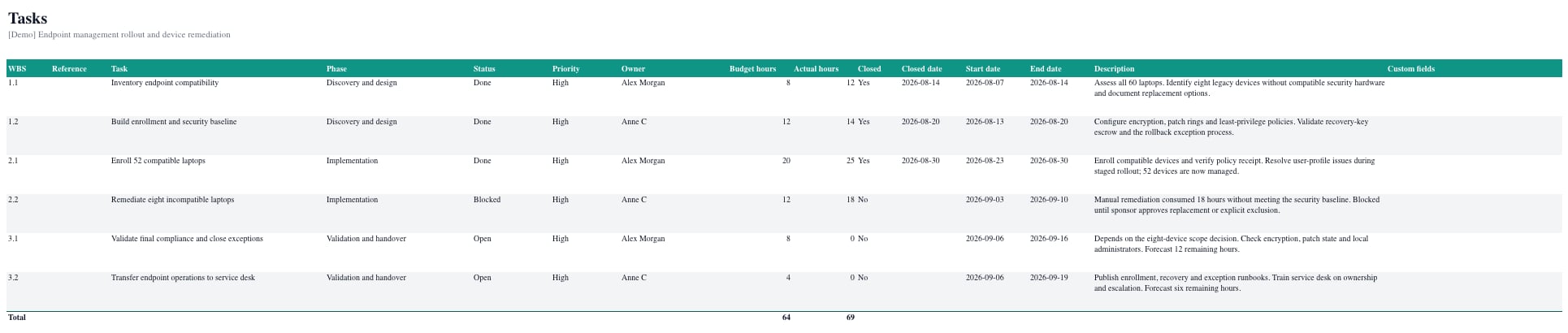
Work with the sheets
- Each data sheet has a frozen header row with filters, so you can sort and filter in Excel straight away.
- Hours and counts are numeric cells. Phases, Tasks, Time Entries, and Team end with a Total row.
- Phases and tasks follow WBS order.
- Documents are listed by name. The files themselves stay in MSPortal.
- The workbook uses your tenant’s brand color and your current language. Custom fields follow your role’s field access.