

Destination paths below use the grouped project navigation.
Before you start
- You need the Schedule view permission for Projects.
- Company users should ask their MSP about missing projects or fields. The MSP manages permissions and sharing.
- Seeing a milestone does not give you access to the tasks behind it.
Choose the right schedule
Read an item
1
Choose the period
Click Day, Week, Month, or Year. Use the arrows to move one period, or Today to return to the current date. The calendar uses your portal’s time zone and week start.
2
Find dated work
In Projects > Schedule, click Projects, Tasks, or Start dates first. See Group the schedule. Month view lists each day’s items and ends with +N more when a day is full. In Week view, a long bar across the week is one date span, not a new booking each day.
3
Open the item
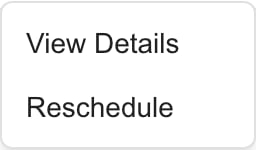
Click an item to open it. Where an item has a … menu, View Details does the same. The table below shows what each type opens.

Interpret dates and colors
Project, phase, and task spans include the end date. They show as all-day work even if the source has a time. A multi-day task is a planned date span, not a technician booked for every hour. Autotask service calls show as timed blocks. Colors help tell items and owners apart. Task owners can have matching colored dots in Staff, and the colors can change as different people load. Completed or skipped items use a muted color. Check the item’s details for its real status.Why work can be missing
A project, phase, or task needs a start date to appear. A due date alone is not enough. If its end is missing or earlier than its start, the display can fall back to the start day. A milestone needs a planned or actual date. Very long planning spans are omitted: project start/end dates more than 400 days apart, or phase/task spans more than 120 days apart. Check the project’s details for long-running plan items instead of assuming they were deleted. The period, your access, and your filters also change what appears. Turning on all-day events can bring back a calendar that looks empty, and Hide items stays saved until you untick those titles. Follow Filter the project schedule before you report missing work. Schedule shows synced project dates, not staff availability. It does not include meetings, appointments, or calendar blocks from the separate Calendar module.Use the Gantt view
When the scheduling feature is enabled for your portal, a project’s Schedule tab has a Calendar and Gantt switch at the left of its toolbar.1
Switch to Gantt
Open the project, click Project Plan, then Schedule, and click Gantt.
2
Read the rows
Each row is one Item with its Start and End dates and a bar across the period. Use the arrows and Day, Week, Month, or Year to change the scale.
3
Find an item
Type in Search items… to filter the rows. The chart reads No items match your search. when nothing matches.
4
Open an item's actions
Open an item’s actions menu to choose Open ticket, Edit dates, Plan in schedule workspace, View in Phases, or View on Timeline. Items with no date show Set date. You see only the actions your role and PSA allow. Plan in schedule workspace opens Projects > Dispatch with the item’s project in the Projects filter, and with a task open in the side sheet.
Troubleshooting
Frequently asked questions
Why can I see tasks inside a project but only milestones in Projects > Schedule?
Why can I see tasks inside a project but only milestones in Projects > Schedule?
The two views are fed differently. The all-projects calendar supplies shared milestones to Company users. A project’s own Schedule tab can also show dates that your MSP’s client display settings allow.
Does an all-day task mean someone is booked all day?
Does an all-day task mean someone is booked all day?
No. It shows the task’s planned dates. A timed Autotask service call is a separate booking. Projects > Dispatch shows who is booked, by day, for ConnectWise, Autotask and Halo.
Why is a ticket with a due date missing?
Why is a ticket with a due date missing?
Project tasks need a scheduled start date to appear. Check the visible period and filters too. A due date by itself does not create a calendar entry.
Which milestone date does Schedule use?
Which milestone date does Schedule use?
The planned date first, then the actual date when there is no planned date.
Why does one project appear on many days?
Why does one project appear on many days?
Month view lists an item on every day its dates cover. It is one span, not repeated meetings. Use Start dates to see each project once.
Can I use Schedule to see every meeting and appointment?
Can I use Schedule to see every meeting and appointment?
No. Use the separate Calendar area for meetings, appointments, and calendar blocks.
Why is a long-running phase or task absent?
Why is a long-running phase or task absent?
Phase/task spans with start and end more than 120 days apart are omitted. Project spans have a 400-day limit. Read the project details for these longer planning items.
Can Company users reschedule work?
Can Company users reschedule work?
No. Company users read shared dates. Ask your MSP to change them.
Related guides
Filter the schedule
Restore hidden work and understand saved view preferences.
Read the timeline
Review milestone status and dates in a list.
Dispatch project work
See who is working on what by day, for MSP staff.