

Before you start
- You need the permission to manage Standards settings. Your billing must be active to save.
- To use company fields in a condition, you also need read access to custom fields.
- To change a company’s industry from the company table, you need write access to company settings. To change a company field there, you also need write access to custom fields.
- Company computer platforms come from active device inventory. There is no manual PC or Mac setting for a company. Set the conditions on each standard instead.
Add conditions to a standard
1
Open the standard
Go to Settings > MSP Tools > Standards, expand the category, and select the standard’s name to open its editor. Find the Standards applicability row.
2
Add a condition
Select Add condition. Choose the Condition to test, a Comparison such as is any of, and the Value. A new standard applies to every company until you add a condition. You can add up to 20 conditions.
3
Combine conditions
With two or more conditions, choose all conditions match or any condition matches.
4
Let it save
There is no Save button. A complete rule saves a moment after your last change and shows Conditions saved. If a condition is incomplete, such as is any of with no values, finish it or remove it.
5
Check the matrix
Open the Standards matrix. Companies that do not match show the standard as a locked N/A.
Target companies by their computers
1
Add a platform condition
Add a condition and choose Company computer platforms.
2
Pick the platforms
Choose has any of and select PCs, Macs, or both.
3
Require both, if needed
To require both kinds of computer, add one PC condition and one Mac condition, and choose all conditions match.
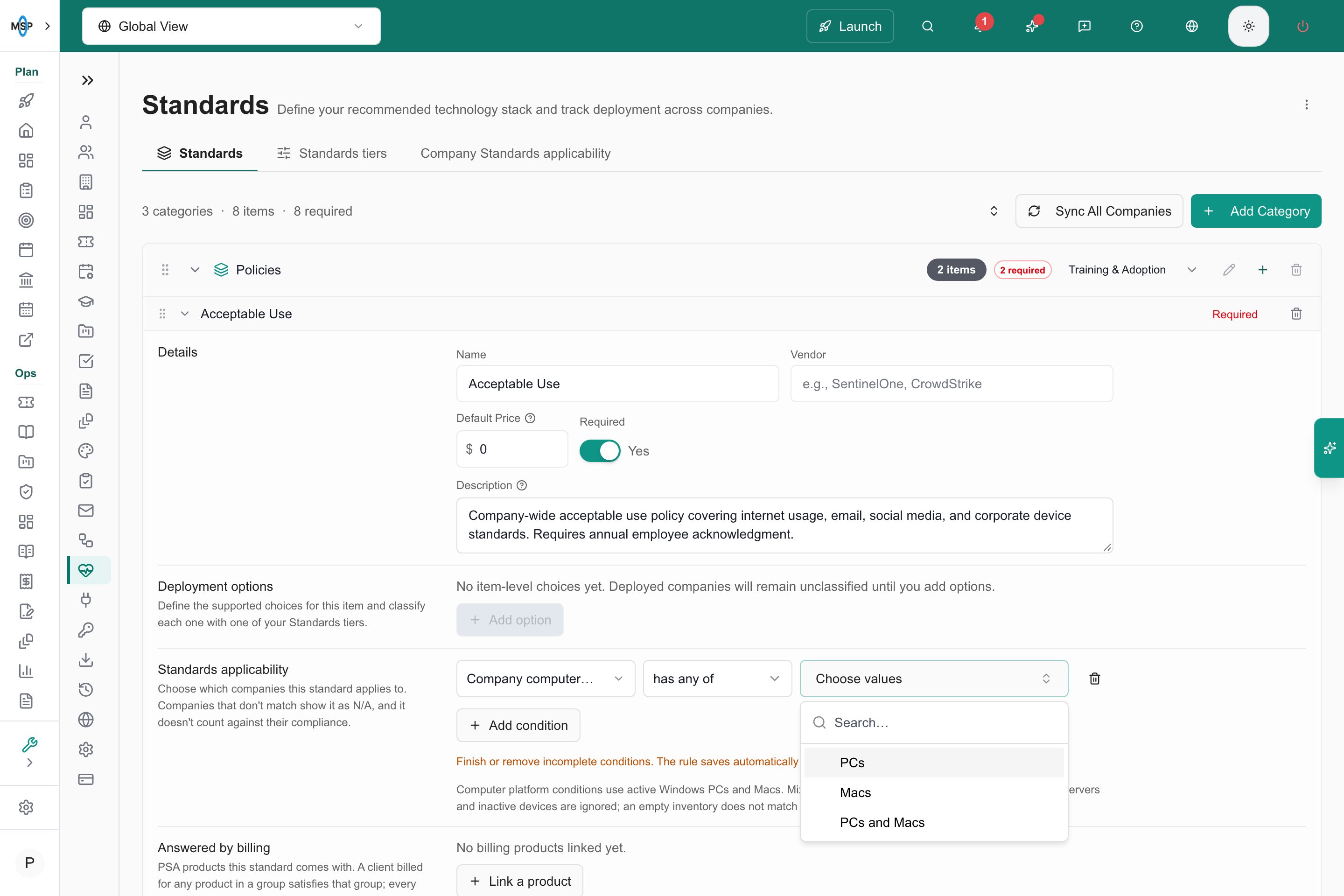
An unsaved computer-platform condition and its available values.
- has any of PCs includes PC-only and mixed companies.
- has any of Macs includes Mac-only and mixed companies.
- Windows servers and inactive devices are ignored. A company with no active computers does not match has any of PCs or has any of Macs.
- has none of matches when none of the selected platforms are present, including when the company has no active inventory.
Target companies by device types
1
Add a device type condition
Add a condition and choose Company device types.
2
Pick the types
Choose has any of or has none of, then select types such as workstations, servers or network devices from the inventory catalog.
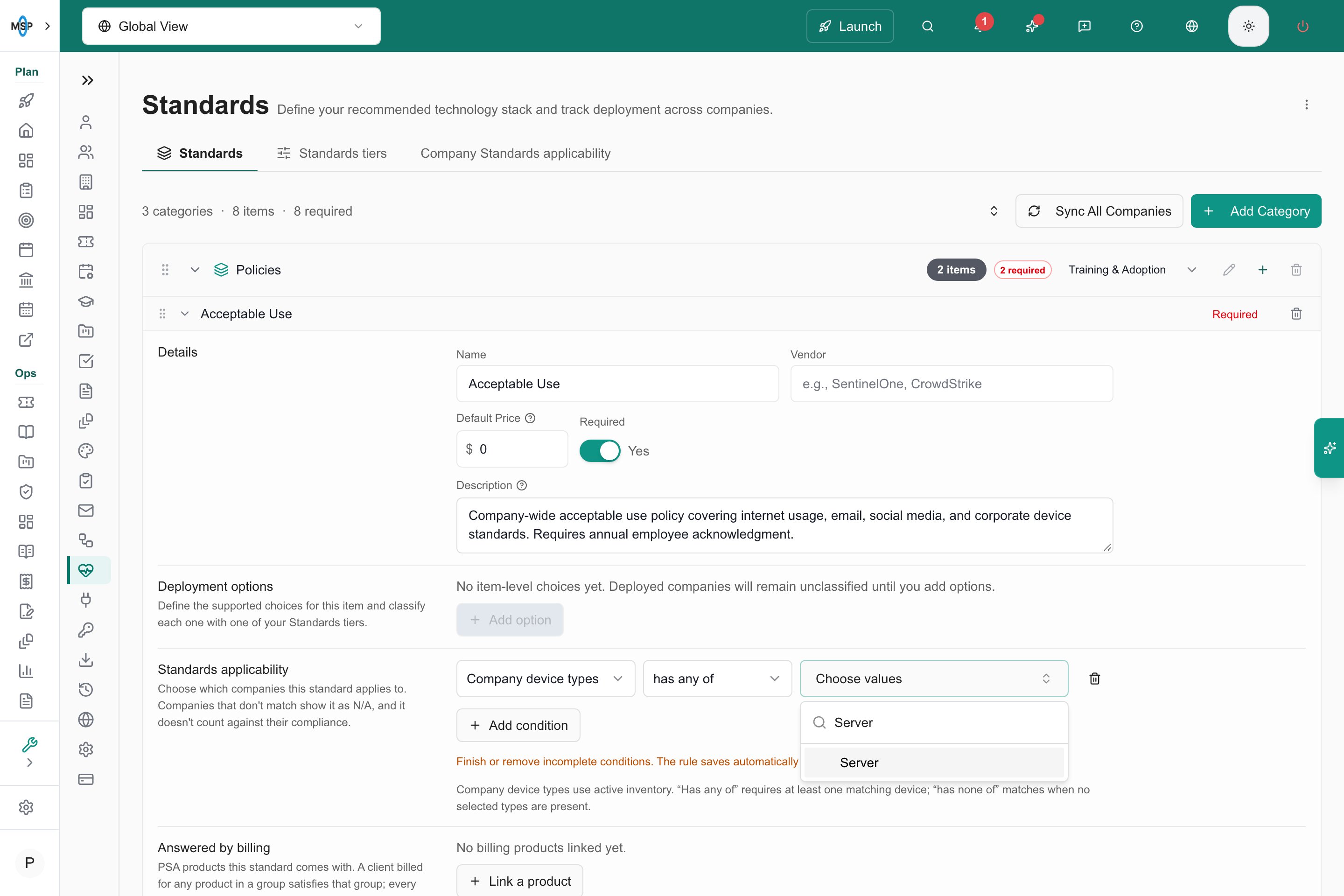
Choose a company device type from the inventory catalog.
See company facts in one table
1
Open the table
Go to Settings > MSP Tools > Standards and select the Company Standards applicability tab.
2
Narrow the list
Use the company selector and the table filters to show the companies you want.
3
Review the columns
Check each company’s computer platforms, device types, industry, company type, tier, and company fields.
Handle missing values
For metadata conditions such as Industry or company fields, a company with no value keeps the standard. This stops incomplete records from quietly raising a compliance percentage. To target companies with no value, use is empty or is not empty. For example, Industry is not empty removes companies whose industry was never set. Inventory conditions work on presence instead. An empty inventory fails has any of and satisfies has none of.Know what N/A and scoring do
- A rule-driven N/A cell is locked. Changing a deployment status cannot override it.
- N/A cells do not count as compliance gaps. They leave the Standards compliance calculation and the matching Client Health scoring.
- The deployment answer saved earlier is kept. If a later rule change makes the standard apply again, the saved answer shows again.
- Client Health can show an earlier scoring run. Compare the scope and the refresh time.
Troubleshooting
Frequently asked questions
Can I set a company's platform to PC or Mac by hand?
Can I set a company's platform to PC or Mac by hand?
No. Platforms come from active device inventory. Add Company computer platforms conditions to each standard.
Why is a company with no computers marked N/A?
Why is a company with no computers marked N/A?
A company with no active computers does not match has any of PCs or has any of Macs, so those standards become N/A.
Do I need to press Save?
Do I need to press Save?
No. A complete rule saves on its own a moment after your last change.
Does N/A delete the deployment answer?
Does N/A delete the deployment answer?
No. The earlier answer is kept and shows again if the standard applies again.
How many conditions can one standard have?
How many conditions can one standard have?
Up to 20.
Does a service plan make a standard N/A?
Does a service plan make a standard N/A?
No. A standard outside a company’s plan is dimmed in the matrix but still counts in the compliance percentage.
Related guides
Manage the Standards catalog
Create and organize the standards used by these rules.
Read the Standards matrix
Interpret recorded deployments, exclusions, and required checks.