

Which dates are written
MSPortal writes the expiration date that its automatic warranty check found for the device’s serial number. The check uses the latest end date across every coverage the manufacturer lists. For HP that includes the factory warranty, bundled warranty and Care Packs.- Only devices with a successful automatic warranty check and a known expiration date are written.
- A manufacturer record whose start date equals its end date is a placeholder, not real coverage. Those devices show no warranty date and nothing is written until real dates are found.
- Dates you enter by hand in MSPortal, without an automatic check, are not written.
Before you start
- IT Glue connection. Connect IT Glue and map its organizations to MSPortal companies. See Enable IT Glue.
- API key access. The IT Glue API key needs permission to edit configurations.
- Linked configurations. IT Glue configuration sync links each configuration to an MSPortal device by serial number, MAC address or name within the mapped organization. Only linked configurations receive dates.
Turn it on
1
Open Warranty Writeback
Open Settings > Integrations > IT Glue > Configure > Sync & Sharing and find Warranty Writeback.
2
Turn on configurations
Turn on Write warranty dates to IT Glue configurations.
3
Save
Select Save warranty settings. The switch is a draft until this button succeeds. The first save starts an immediate background run.
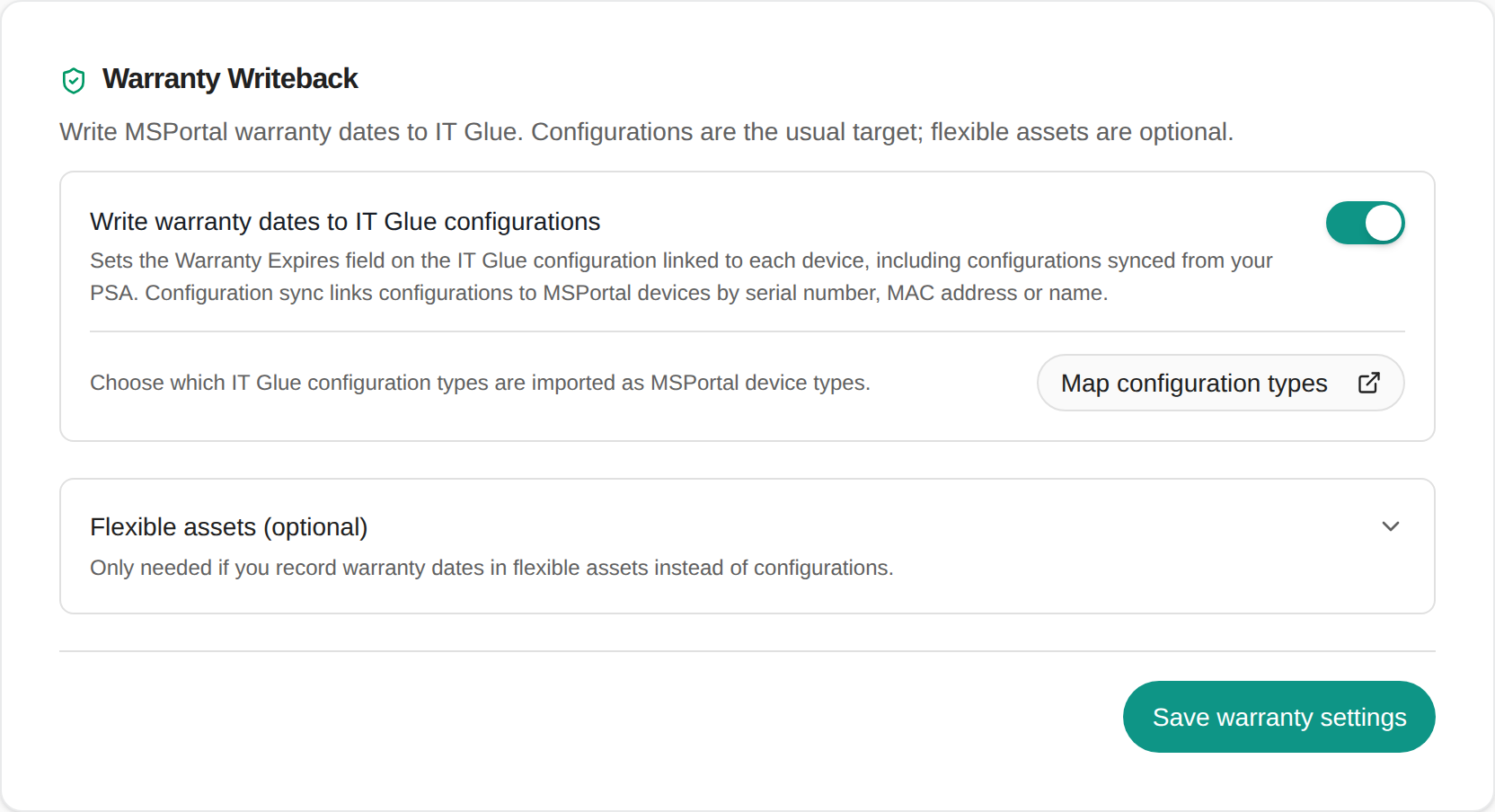
The Warranty Writeback card for IT Glue. Configurations come first; flexible assets are an optional extra.
Map configuration types to device types
Select Map configuration types on the card to open Configuration types. There, map each IT Glue configuration type, such as a workstation, server or firewall type, to an MSPortal device type:- Mapped with Auto-sync on: configurations of that type are imported as MSPortal devices on the next sync, and linked to them.
- Ignore: configurations of that type are never imported.
- Not mapped: configurations of that type stay documentation only. They still link to an existing MSPortal device with the same serial number, MAC address or name.
When it runs
- Daily, at about 04:55 UTC, and once straight away the first time you turn it on.
- First run: covers every linked configuration whose device has warranty data.
- Later runs: send only devices whose warranty was checked again since the previous run.
- Deleted or rejected configurations: skipped. Other failures are retried on the next run.
Check the result
After the run, open a configuration you know in IT Glue and check Warranty Expires. Compare it with the warranty end date on the linked device in MSPortal.If your Autotask configuration items also sync into IT Glue, you can use Warranty writeback to Autotask instead. The Autotask sync then carries the date into IT Glue. Using both is fine, because both write the same date.
Flexible assets (optional)
If you keep hardware warranty in IT Glue flexible assets rather than configurations, expand Flexible assets (optional) on the same card and map device types to flexible asset types and fields. See Warranty writeback to Hudu and IT Glue flexible assets.Turn it off
Turn off Write warranty dates to IT Glue configurations and select Save warranty settings. Future runs stop. Dates already written to IT Glue stay as they are.Troubleshooting
Frequently asked questions
Do I need to map fields?
Do I need to map fields?
No. Configurations have a built-in Warranty Expires field, and MSPortal writes to it.
Does this work on configurations synced from Autotask?
Does this work on configurations synced from Autotask?
Yes. IT Glue accepts the warranty date on PSA-synced configurations.
Do I still need flexible asset mappings?
Do I still need flexible asset mappings?
Only if you record warranty dates in flexible assets. Configurations and flexible assets are separate choices on the same card.
Related guides
IT Glue setup
Connect IT Glue and choose what to synchronize.
Autotask warranty writeback
Write warranty dates to Autotask configuration items.