

Spanning Backup is currently a pilot integration. If the integration is not available in Settings > Integrations, contact support@msportal.ai.
Prerequisites
- Access to the Spanning UniView portal
- A UniView API client ID and client secret
- MSPortal.ai integration management permission
- MSPortal companies to map to the discovered Microsoft 365 tenants
Connect Spanning Backup
1
Create UniView credentials
In UniView, open API Access, create a client for MSPortal, and copy its client ID and client secret.
2
Open the setup page
In MSPortal, go to Settings > Integrations, find the Spanning Backup row, and click Connect (or Configure if it is already connected). The wizard has four steps: Connect, Configure Sync, Map Tenants, and Status.
3
Test the connection
Enter the UniView Client ID and UniView Client Secret, then click Test Connection. MSPortal confirms how many Microsoft 365 tenants the client can access, for example “UniView accepted these credentials and returned 12 Microsoft 365 tenants.”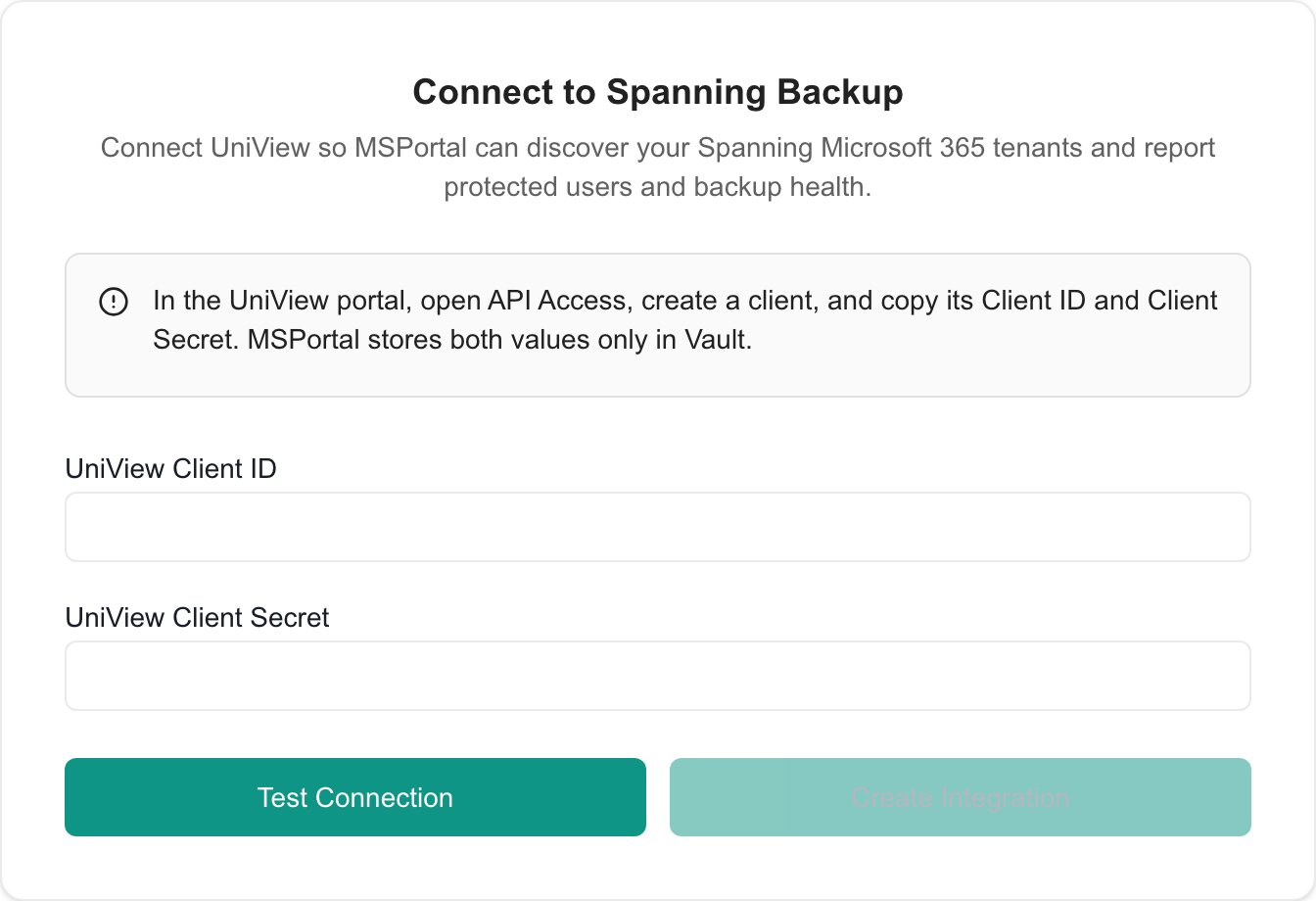
4
Save the credentials
Click Create Integration after the connection test succeeds. The credentials are stored securely in Vault, and the first tenant discovery starts automatically.
Test Connection does not save anything. If you change a field after testing, test again before you click Create Integration.
5
Continue
Click Next to move to Configure Sync.
Configure Synchronization
Microsoft 365 tenant discovery is always enabled because it is required for company mapping. In the Configure Sync step, choose whether MSPortal also synchronizes:- Protected and archived user inventory
- Seven-day backup health for Exchange, OneDrive, SharePoint, and Teams
Map Tenants
1
Review discovered tenants
The mapping table shows each Microsoft 365 tenant returned by UniView, including its primary domain, protected-user count, and backup status. Discovery normally completes in less than a minute. If no tenants appear, click Sync Tenants (or Sync above the list).
2
Match tenants to companies
Click Quick Match to suggest company mappings by name, or use the Select company… dropdown to choose the correct MSPortal company manually. If the company does not exist yet, click the + button next to the dropdown to create it.
3
Save the mappings
New matches show as Pending until you save them. Click Import Selected to save them, then click Next. Next also saves any pending mappings and starts a detailed sync for the mapped tenants.Removing a saved mapping takes effect immediately.
Review Status
The Status step shows mapped tenants, protected users, backed-up services, workload summaries, the latest synchronization time, and any current sync error. Mapped tenants synchronize automatically every hour. Use View backup health to open the Spanning Microsoft 365 backup view after the first detailed synchronization completes, or Manage mappings to adjust company mappings later. Click Complete Setup to close the wizard.Managing Your Integration
After setup, manage the integration from Settings > Integrations:Replacing Your UniView Credentials
1
Open the Connect step
Click Configure on the Spanning Backup row. The wizard opens on Connect.
2
Enter and test the new credentials
Enter the new UniView Client ID and UniView Client Secret, then click Test Connection.
3
Save the credentials
Click Save credentials. MSPortal stores the new values and starts a fresh sync.
Troubleshooting
Related Resources
Backup
Review backup health in MSPortal
Integrations Overview
Manage all MSPortal integrations