

Before you start
- The link control needs Planner write, onboarding settings write (
write_settings_onboarding), and Standards read access. Reading saved links also needs onboarding settings read access. Saving needs an active subscription. - You need an onboarding template with the task you want to link.
- Approval tasks cannot link a standard, because new portals turn them into approvals rather than tasks.
Configure the template link
1
Open the template task
Go to Settings > Projects > Templates > Templates and open the template.
Choose Phases from the template menu, expand the phase, and open the task.
Expand Link to a standard. In the earlier experience, open Settings > Client Onboarding instead.
2
Choose the Standard
Select the standard and, when appropriate, its deployment option. Choose
No deployment option if the task does not establish a specific option.
3
Choose the completion result
Set When completed to Deployed, In progress, or Declined, then
select Save. Reopen the template task to confirm the saved link.
4
Use the template for a new portal
Create a company’s onboarding portal from this template. Its task inherits
the saved link and completion result. As the task progresses, review the
company’s answer under MSP Tools > Standards. See
Managing Portals.
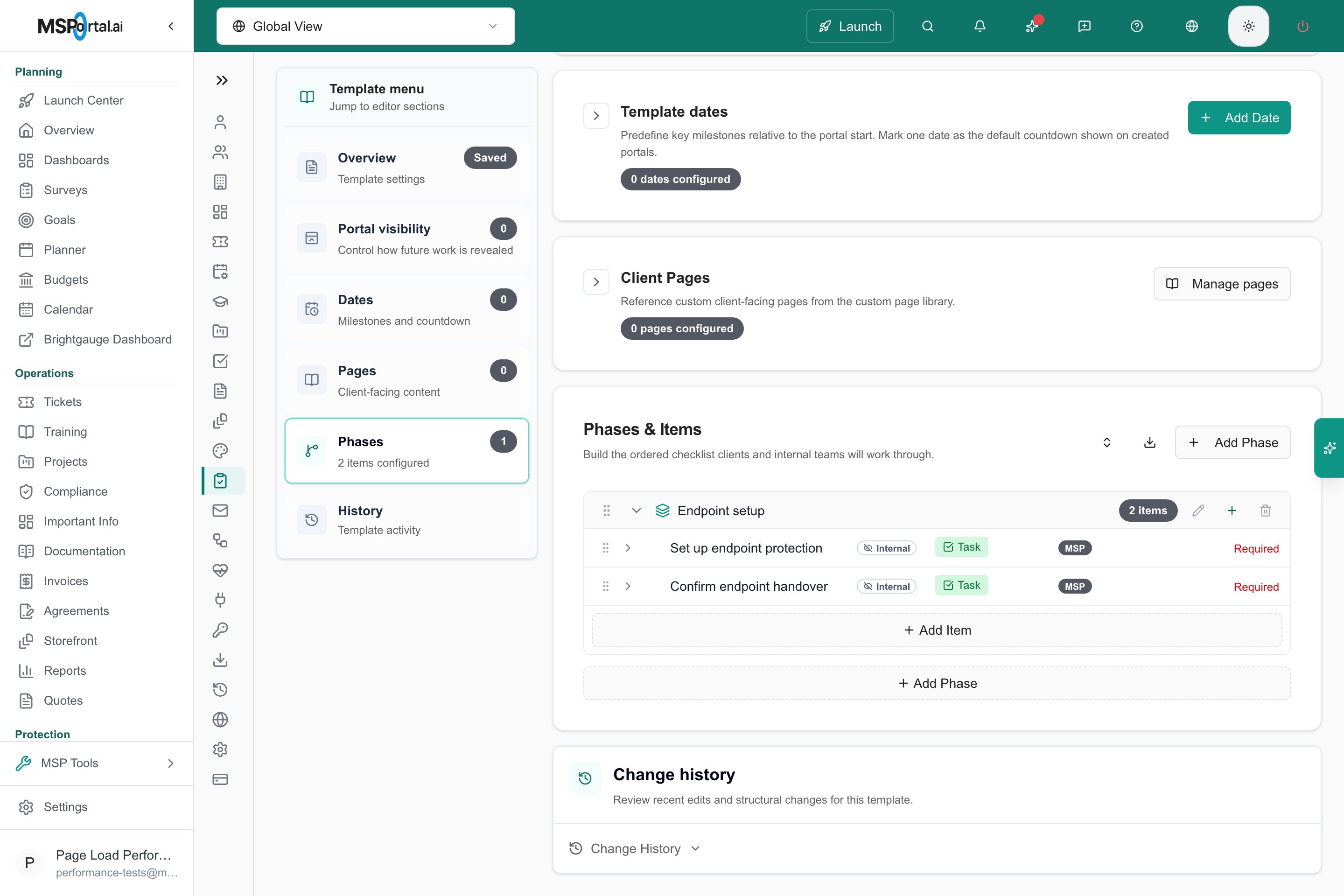
Open the task inside the onboarding template's phase.
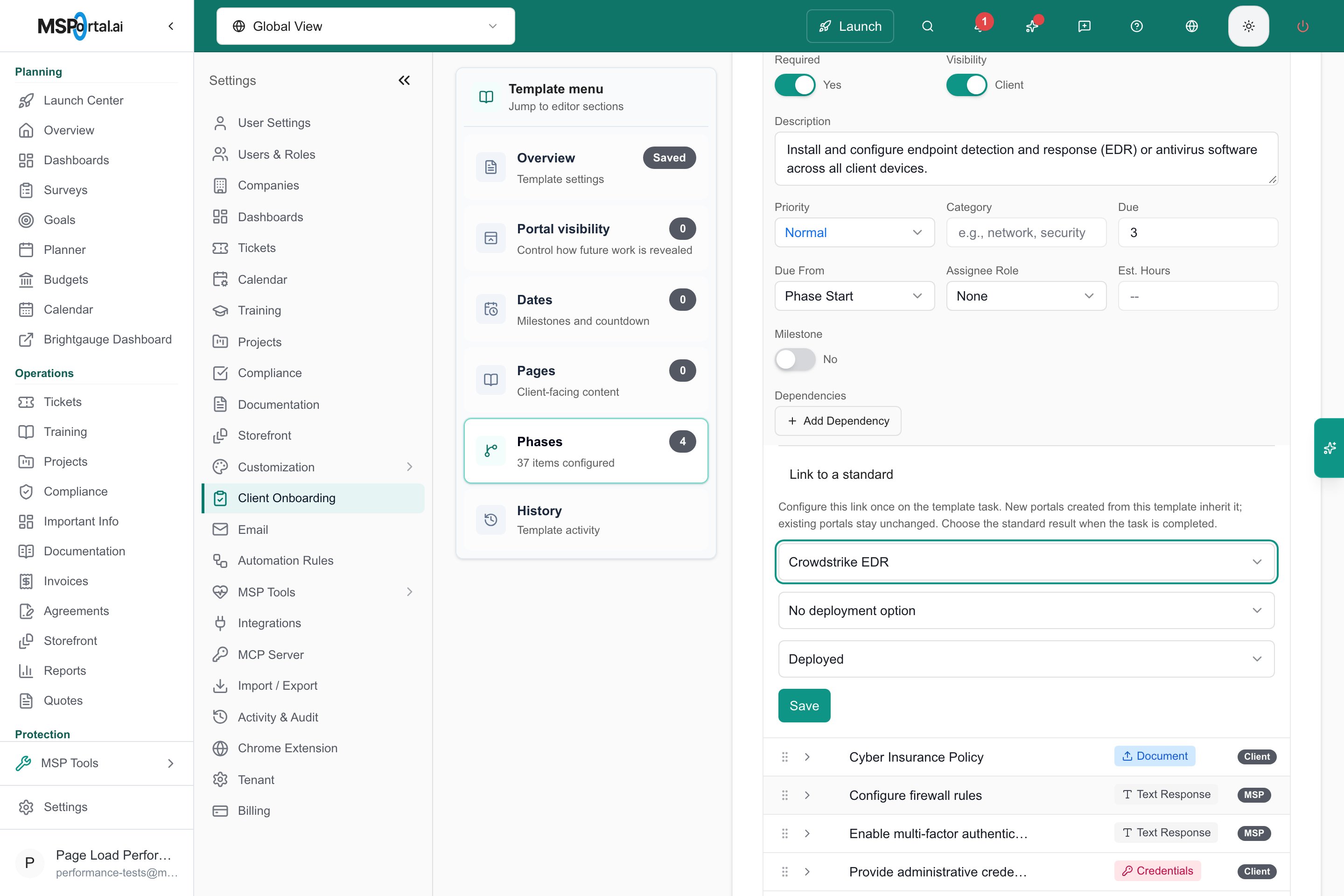
Unsaved configuration preview; fields fit the available editor width.
Understand progress and reopening
The inherited link follows the company’s task:
The standard must apply to the company. Task progress cannot override its
device-platform or company-field exclusion.
A manual, non-default answer remains authoritative. For example, manually
marking the standard Deployed preserves that decision when the task is
reopened. An unanswered Not Started cell can be controlled by onboarding.
Change or remove a template link
Template edits affect future portal tasks. Existing portal tasks keep the link and completion result they inherited; editing or clearing the template link does not rewrite them. To stop future tasks inheriting the link, open Link to a standard on the template task, choose No linked standard, and select Save. Changing the selected standard clears the deployment-option selection. Choose an option belonging to the new standard before saving. Only one task in a template can link to the same standard. When another task already owns that link, saving reports the conflict. Remove the earlier template link before assigning it to a different task. If an existing company task already controls that standard, applying another template preserves the company’s existing owner.Troubleshooting
Frequently asked questions
Will editing the template link change portals that already exist?
Will editing the template link change portals that already exist?
No. Existing portal tasks keep the link and completion result they inherited. Only new portals use the updated template.
Can two tasks in one template link to the same standard?
Can two tasks in one template link to the same standard?
No. Saving reports a conflict. Remove the earlier link first.
Does completing the task install the software?
Does completing the task install the software?
No. The link only updates the standard’s status for that company.
Related guides
Client onboarding
Review the broader onboarding workflow.
Read the Standards matrix
Understand the resulting deployment status.