

Before you start
- You need invoice-viewing access from your MSP.
- Find the invoices first. See Find and review invoices.
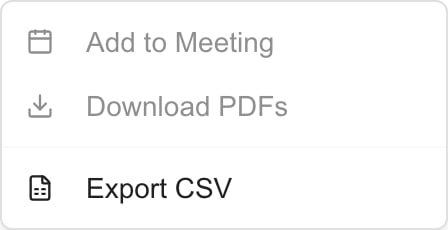
The Actions menu before any rows are selected. Download PDFs and Add to Meeting turn on when you select invoices.
Open and download one PDF
1
Open the invoice
Click the Invoice #, or open the row menu and choose View PDF.
2
Wait for the viewer to load
Check the invoice number and contents.
3
Click Download
The button is in the viewer header. Check your browser’s downloads for the PDF.
Download several PDFs
1
Select invoices
Check the boxes on the rows you want. Select 50 invoices or fewer.
2
Choose Actions > Download PDFs
Wait while the PDFs are fetched and the ZIP is prepared.
3
Open the ZIP
Compare the PDFs inside with the invoices you selected.
Export invoice data to CSV
1
Set your view
Choose the company, filters, sort, and page you want.
2
Choose what to export
To export the whole page, clear any row selection. To export some invoices, check those rows.
3
Choose Actions > Export CSV
The file is named
invoices- and today’s date.4
Check the file
Compare its rows with the page and selection you meant to export.
Export CSV uses the page that is currently loaded. It does not fetch other pages. With rows checked, it exports the checked rows on that page. Repeat the export for each page you need, or raise the page size to 250 first.
Troubleshooting
Frequently asked questions
How many PDFs can I download at once?
How many PDFs can I download at once?
Up to 50 selected invoices per batch.
Does Export CSV include every filtered page?
Does Export CSV include every filtered page?
No. It exports the loaded page, or the checked rows on it.
Does downloading an invoice pay it?
Does downloading an invoice pay it?
No. Payment is separate. See Use an invoice payment link.