

Before you start
- You need budget edit access (the write_budgets or manage_budgets permission).
- The target budget must be Draft or Pending Approval and must belong to a company. Set its Fiscal Year and Currency before you import.
- The company needs an earlier budget with recurring lines.
Know which budget is the source
The source is picked for you. MSPortal takes the highest fiscal year that is earlier than the target budget’s year. If several budgets share that year, it takes the most recently updated one. It can be a Draft, Pending Approval, Approved or Archived budget. It does not have to be the year just before. There is no source picker. If the source shown is not the one you want, click Cancel. Use an Excel import or duplicate the budget instead.Import recurring services
1
Open the target budget
Open a Draft or Pending Approval budget with Edit, or start one with Create New Budget. Check Fiscal Year and Currency under Budget Details.
2
Open the import
Click Import, then click Import from previous year. The Import recurring services dialog opens.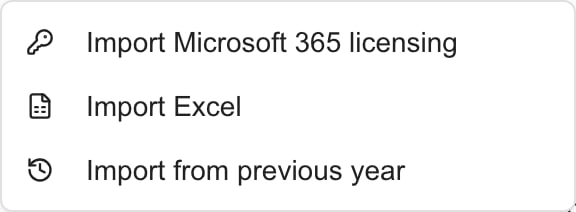
3
Read the source
The dialog names the source budget and its year, for example Recurring services from “IT Infrastructure 2025” (2025).
4
Choose the services
New services start checked. Clear any you do not want, or click Select all. One-time lines are not listed. A line whose description is already in the target budget shows Already in budget and cannot be selected.Rejected lines in the source are listed too. Decide again whether each one should be funded.
5
Import
Click Import N services. The dialog closes and the new rows appear in the editor.
6
Review the rows
The new rows have Pending status, whatever their status was in the source. Check the quantity, price, category, notes, recurrence and start month. Prices are copied as numbers. They are not converted to the target currency.
7
Save
Click Save, wait for Budget saved successfully., then check Monthly Breakdown. Importing does not save the target and does not change the source budget.
What is copied
If the source has no recurring lines, the dialog says No recurring services found in a previous budget for this company. It does not look at older budgets.
Troubleshooting
Frequently asked questions
Which earlier budget does MSPortal use?
Which earlier budget does MSPortal use?
The highest earlier fiscal year for that company. In a tie, the most recently updated budget, whatever its status.
Why is my subscription missing?
Why is my subscription missing?
Its recurrence is One-time in the source, or the source is not the budget you expected. One-time lines are never listed.
Are rejected services skipped?
Are rejected services skipped?
No. Every recurring line is listed. Imported rows start Pending, so review each one.
Do Planner links and monthly overrides carry over?
Do Planner links and monthly overrides carry over?
No. Link the new lines again with Link to Planner Item or Goal.
Does this change the earlier budget?
Does this change the earlier budget?
No. It only adds rows to the open editor.