

Before you start
- Your role has Microsoft 365 read access.
- The company has a synced Secure Score. See Read Microsoft Secure Score.
Find a recommendation
1
Open Secure Score
Go to Cloud > Posture > Secure Score and confirm the company in the top bar.
2
Choose a view
Select Needs attention, Addressed or All. Use All if you do not know the control’s status.
3
Search by title
Type part of the control name into the Title column filter.
4
Add more filters
Combine the Category, Service, Severity, Max Points and Status filters. Views that cover several companies also show a Company filter.
5
Open the control
Click the control’s Title.
6
Clear the filters
Select Clear Filters to remove the table filters. This does not change the view, so switch from Needs attention to All yourself if you need to.
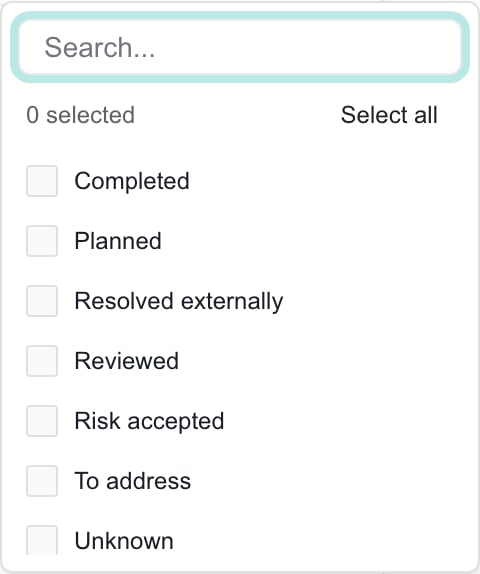
Status offers multiple selections. It still operates within the selected Needs attention, Addressed or All view.
Sort and move through results
Use the sortable column headings to change the order. The table shows 20 rows per page, with paging controls below it. MSPortal loads at most 5,000 controls for the selected companies. Filters, view counts and the CSV export all work on that loaded set, so a broad view may not hold every matching control. Select one company for a focused review. The counts beside Needs attention, Addressed and All count loaded controls before column filters, so they can be larger than your filtered list. The Severity filter lists Low, but no control currently maps to Low.Select controls for an MSP action
Checkboxes pick rows for actions. Filters decide which rows you see. The header checkbox selects the current page only. Before a bulk action, clear old selections, filter to one company and check the rows and the selection count. Changing a column filter can leave earlier rows checked. Switching the view clears all selections. For MSP actions, see Plan work from Secure Score. Row selection does not limit a CSV export.Troubleshooting
Frequently asked questions
Why can I not find a completed recommendation?
Why can I not find a completed recommendation?
The default Needs attention view excludes Completed. Switch to Addressed or All, then check the Title and other column filters.
Can I filter for more than one status?
Can I filter for more than one status?
Yes. Status allows multiple selections, but results must also belong to the active view.
Why is the view count larger than the filtered list?
Why is the view count larger than the filtered list?
View counts describe loaded controls before column filters. The filtered table can contain fewer records.
Does Clear Filters change the active view?
Does Clear Filters change the active view?
No. Check Needs attention, Addressed or All separately. Clear Filters resets table filters.
Does the header checkbox select every matching control?
Does the header checkbox select every matching control?
No. It selects rows on the current page. Review selections before using bulk actions.
Can filters search every control across a large portfolio?
Can filters search every control across a large portfolio?
The page currently loads at most 5,000 controls for its scope. Filters operate on that loaded set. Select a company to narrow the review.
Why is Low severity empty?
Why is Low severity empty?
Low is an available filter option, but the current tier mapping assigns Critical, High, Medium or Informational.
Do selected checkboxes limit Export CSV?
Do selected checkboxes limit Export CSV?
No. CSV uses the active view and column-filtered loaded rows across table pages, independently of checkboxes.